I decided to provide an in-depth look at the Kadence ecosystem, primarily focusing on the Kadence theme and Kadence Blocks plugin, drawing insights and specific details from previous usages. I examined its features, user experience, pricing, use cases, and position relative to alternatives like Elementor and Gutenberg.
Key Features
Kadence is a comprehensive WordPress solution consisting of both a theme and a plugin. Specifically, there is the Kadence theme and the Kadence Blocks plugin. While the Kadence Blocks plugin is compatible with any WordPress theme, using it in conjunction with the Kadence theme is considered the optimal approach for leveraging its full potential. Both the Kadence theme and the Kadence Blocks plugin are available in free versions, offering a substantial amount of functionality without cost. Premium or ‘Pro’ versions are available for users requiring more advanced features.

One of the standout features is the provision of built-in demo sites or starter templates via the plugin “AI Powered Starter Templates by Kadence WP”. These templates can be imported to quickly establish a website structure and design, and they are well-designed and versatile for various website types. Notably, the free versions of the Kadence theme and plugin are capable of replicating the design seen in some of the starter templates.

When comparing the free version of the Kadence theme to the free version of the Elementor plugin, Kadence is considered to offer more extensive customization options. This includes robust capabilities for modifying the header and footer.

The Kadence theme customizer offers a dedicated header Builder and footer Builder. These builders provide a visual interface in the customizer to construct headers and footers. Users can add various items like site title/logo, primary navigation, secondary navigation, buttons, social media icons, and copyright information. These elements can be placed into different rows (e.g., top, middle, bottom) and columns within the header and footer areas.
The design tab within these builders allows for setting backgrounds, adjusting spacing (padding, margins), and defining breakpoints for mobile headers. For example, the footer builder allows adding copyright information and social media icons to the bottom row, controlling their vertical alignment and content alignment.
Building more complex footers involves utilizing widget areas, where widgets (acting as containers for content) are placed into columns in the customizer. The actual content within these widgets is then added and edited in the backend WordPress widget area, which offers access to full block settings, providing more control than the limited customizer interface for widget content. The customizer also offers options for transparent headers.
Beyond header and footer building, the free Kadence theme provides ample options for custom colors, fonts, typography, and even WooCommerce customization.
The customizer’s typography tab allows setting up base fonts, heading fonts, H1-specific fonts, and breadcrumbs fonts. Users can select from a wide range of Google Fonts, adjust styles (italic, bold), size (with device-specific control), units, line height, letter spacing, and capitalization. Font pairings are also available as a quick selection option. Advanced typography settings include enabling font smoothing to reduce jagged edges and selecting Google font subsets for additional characters.
General settings in the customizer cover layout options, allowing control over the content’s maximum width, left/right edge spacing (padding), and top/bottom spacing between the main content and header/footer. It also provides control over the narrow layout content maximum width, which affects specific page/post layouts.

The Kadence Blocks plugin extends the functionality of the native WordPress block editor (Gutenberg). Kadence Blocks are “great” and offer “a few more options” compared to alternatives like GenerateBlocks. The plugin provides a library of custom blocks for building pages and content. The process of adding and styling content using Kadence Blocks is extensive. Key block types and capabilities highlighted include:
- Text Blocks: Basic text content with styling options for font size, line height, and case.
- Row/Layout Blocks: Fundamental blocks for creating sections and arranging content into columns and rows with control over width, padding, margin, background images/colors, overlays, gradients, and minimum height. They are crucial for structuring page layouts and controlling responsiveness across devices.
- Heading Blocks: Structured titles with styling options.
- Button Blocks: Call to action buttons with extensive styling options for text, background, border radius, padding, and hover effects. Advanced options include full-width settings.
- Image Blocks: Adding images with size control, alignment, and masking shapes like circles.
- Icon List Blocks: Creating lists with customizable icons for each list item, useful for contact information, resources, or key points.
- Divider Blocks: Horizontal lines for separating content sections.
- Table of Contents Blocks: Automatically generating a table of contents based on headings within the content.
- Count Up Blocks: Displaying animated numbers that count up, useful for statistics or achievements, with options for prefixes, suffixes, and accompanying text.
- Info Box Blocks: Versatile blocks combining an icon/image, title, description, and optional ‘learn more’ link/button, often used for service sections or feature lists. They offer layout presets and detailed styling for each element.
- Testimonial Blocks: Dedicated blocks for displaying testimonials, including text, author information, image, and styling options.
- Form Blocks: Advanced blocks for creating contact or other forms with various field types and configuration options.
- Countdown Blocks: Blocks for displaying countdown timers, useful for sales or events.
- Dynamic HTML Block: A powerful block used in template building (like post templates) to dynamically pull and display content from the post or page, such as the main post content.
- Icon Block: Adding standalone icons with size and styling options.
Kadence also offers pro starter templates for paid users. Premium bundles provide access to a range of additional plugins. The Essential Bundle includes the pro theme, pro blocks, pro starter templates, and custom fonts. The Full Bundle offers “an insane amount of functionality” and includes all plugins. Examples of these plugins are the Shop Kit (specifically for WooCommerce, adding features like variation swatches, advanced reviews, product bands), Kadence Cloud, Kadence Conversions (for pop-ups, slide-ins with triggers and analytics), Simple Share, Custom Fonts, reCAPTCHA, Reading Time element, and WooCommerce Email Designer element.
The Shop Kit enhances Woo by allowing detailed customization of single product pages (e.g., showing shipping statements, configuring add-to-cart buttons, displaying extra benefits, enabling payment badges for credibility, controlling quantity field appearance) and archive/shop pages (e.g., adjusting content width, title alignment, layout with sidebars, content style like boxed/unboxed, showing/hiding result counts, sorting dropdown, grid/list toggle, customizing product image hover effects, and button action styles).
Kadence allows for building custom layouts or templates for specific parts of a website, like blog posts. This involves using the block editor to design the layout and incorporating dynamic blocks like the Dynamic HTML block to display the actual post content. Features like sticky elements can be added to these templates, such as making an author box column sticky as the user scrolls through the post content. These custom layouts can then be applied conditionally across the site.
The way Kadence handles full site editing is noted. Unlike raw Gutenberg full site editing, where the theme container can be removed, Kadence maintains the metaphor of a theme as a container. This approach is considered more beneficial for the average user (business person building their site, users with prior WordPress but not Gutenberg/FSE experience) as it provides a more structured and less confusing environment compared to the flexibility (and potential complexity) of unconstrained full site editing. The headers and footers built with Kadence have a “pretty straightforward mythology”, unlike the “really janky” native Gutenberg header and footer methods.
User Experience
The user experience for editing with Kadence, particularly when compared to Elementor, is not quite as smooth or friendly. This is attributed to Kadence, like Gutenberg, being a backend editor. To visualize changes made in the editor, users typically need to update the page and then view it on the front end. This contrasts with Elementor’s frontend editing approach, which provides a real-time, what-you-see-is-what-you-get (WYSIWYG) experience directly on the live page..
Creating templates for elements like single posts, headers, or footers is also seen as trickier in Kadence than in Elementor. While dynamic options exist (e.g., in sidebars for post templates), they are not as intuitively implemented as Elementor’s drag-and-drop dynamic content elements. For instance, adding a featured image dynamically to a post template requires accessing specific settings in the sidebar, whereas Elementor users would simply drag a “Featured Image” element onto the canvas. Building complex footers involves adding widgets visually in the customizer but then requiring users to switch to the backend WordPress widget area to add and fully style the content within those widgets.
Despite these comparisons to Elementor, the Kadence customizer itself is “pretty cool and very easy to use” for building and laying out elements. The design interface is generally liked, featuring a clean look and accessible options for color palettes, border radius, and typography. The process of styling various blocks (text, headings, buttons, row layouts, etc.) involves using detailed settings panels on the right side of the block editor, allowing control over layout, style, and advanced options like padding, margin, borders, backgrounds, overlays, and responsive visibility.
Building page sections with Kadence Blocks is demonstrated as a process involving adding row layouts, selecting column structures, adding blocks within those columns, styling individual blocks and rows, and adjusting layout and styling for different devices (tablet and mobile) within the editor’s responsive view toggle. This responsive editing capability within the editor is highlighted as making it “very easy to make pages… mobile responsive very quickly”. The ability to preview and adjust layouts for desktop, tablet, and mobile directly in the editor facilitates the process.
Kadence is considered “more for end-users” rather than developers who might rely heavily on WordPress hooks and filters, where themes like GeneratePress or Genesis might be preferred. The implementation of full site editing metaphors in Kadence, which keeps the theme as a container, is seen as beneficial for the average DIY user, providing structure that might be missing in raw Gutenberg FSE.
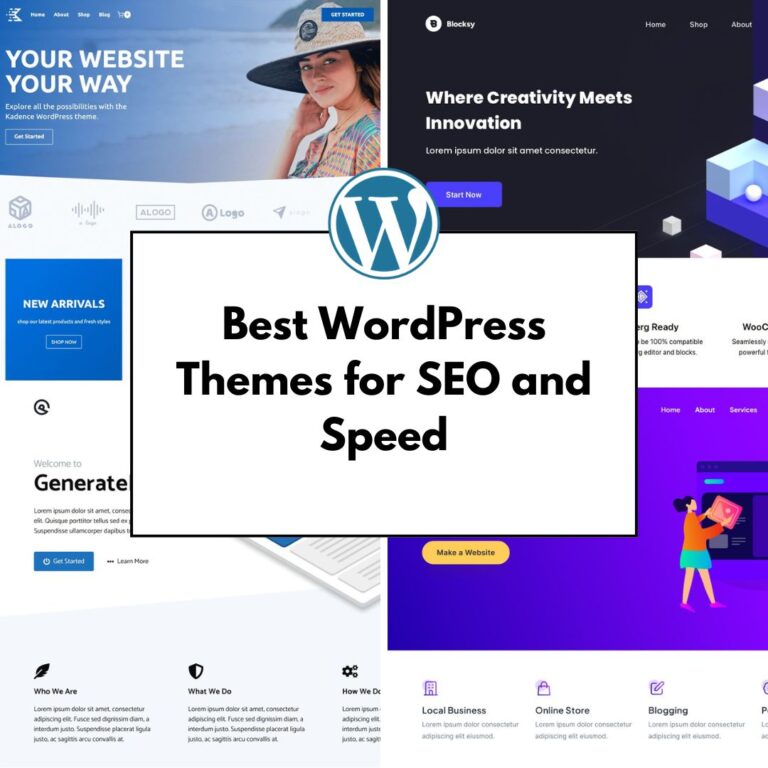
Speed
A significant advantage of Kadence is its speed and performance. Kadence is stated to be “significantly faster than Elementor”. The editing experience within Kadence feels smoother, and page loading times are very quick. In contrast, Elementor can sometimes experience delays in loading pages for editing. Kadence is characterized as a “very lightweight theme that is fast and minimal”. About its coding quality, I must say that it is “coded well, better than Astra WP”. The speed benefits of utilizing Kadence are noted as “very impressive,” particularly when combined with a decent hosting provider. While acknowledging that factors like other installed plugins and website setup can influence performance, I can confidently state that using Kadence generally results in a much quicker loading website compared to some alternative solutions mentioned. If speed is a top priority, Kadence is strongly recommended over Elementor.
Support and Documentation

In the theme dashboard, under Appearance, there is a Getting Started tab where you have access to video tutorials and the knowledge base. You can use the docs to better understand the product.
Getting started help is also available for the plugin. You will get help for using the Design Library, Blocks, and many more.
Pricing
Overall, Kadence is considered the more affordable option when compared to Elementor. Both the Kadence theme and the Kadence Blocks plugin are available in feature-rich free versions, with the free Kadence offering more features than Elementor’s free plugin.
For premium features, Kadence offers different bundles on an annual subscription basis:
- Essential Bundle named Express: Priced at $69 per year, this includes the pro versions of the Kadence theme and Kadence Blocks, access to pro starter templates, and custom fonts. It can be used on an 3 websites.
- Plus: costs about $169 per year, includes Prebuild Designs, Advanced Design Features, Marketing & User Insight Features, Plugins, and much more more. It can be uset on up to 10 sites
- Full Bundle named Ultimate: Priced around $299-399 per year, this bundle provides access to all Kadence plugins and features (Shop Kit, Cloud, Conversions, etc.) and can also be used on 25-1000 websites.
This pricing structure, particularly the unlimited site usage (if you consider 1000 websites to be unlimited) with the paid bundles, makes Kadence particularly cost-effective for users managing multiple websites. In contrast, Elementor’s expert plan, while also costing $1200 per year, is limited to activations on only 30 websites. The value offered in Kadence’s paid versions is an “amazing value”.
Please check their website for the updated prices.
Use Cases
Kadence is positioned as a “very good alternative” to both Elementor and the native Gutenberg editor. It is a “pretty good option for building regular websites”. This includes common website types such as blogs, business websites, websites for NGOs, and e-commerce stores. Its strong integration with WooCommerce and availability of the Shop Kit plugin in the paid bundle make it particularly suitable for online shops. It is also noted to work “really fantastically” with leading WordPress Learning Management Systems like LifterLMS and LearnDash, suggesting its suitability for educational or membership sites.
Kadence is recommended as a “safe and good starter or do-it-yourself theme” suitable for “any users”. Its structured approach to full site editing, maintaining the theme container metaphor, is seen as beneficial for average users who might find raw Gutenberg FSE confusing.
However, for more complex or advanced websites that require extensive use of dynamic content, Advanced Custom Fields (ACF), or custom post types, Elementor might be the superior option. While Kadence has some dynamic capabilities (like the Dynamic HTML block for templates), Elementor’s implementation for these advanced use cases is generally more powerful or user-friendly.
Crucially, if speed and performance are the highest priority, Kadence is the recommended choice over Elementor due to its lightweight nature and faster loading times.
Alternatives
Kadence is frequently compared with several other prominent WordPress themes and builders:
- Blocksy: a very similar theme because it has a lot of customization options in the free version. Also, the copyright notice from the footer can be removed for free. If you want more options than you can install the free Companion plugin, and for even more options, you can install the Pro plugin.
- Elementor: This is the most direct competitor discussed. Comparisons highlight Kadence’s advantages in speed, free features, and pricing (especially for unlimited sites). Elementor is often seen as having an edge in user experience (frontend editing), overall functionality (especially for dynamic content/ACF), and the breadth of its third-party add-on ecosystem.
The design quality of Kadence themes and starter templates compared to general theme marketplace offerings is “simple and very clean” and “less generic than many found on marketplaces like ThemeForest”.
Overall Impression
Kadence emerges as a highly capable and recommended solution within the WordPress landscape. Its speed and performance are consistently highlighted as major strengths, being faster and more lightweight than prominent competitors like Elementor. It is praised for being “coded well” and offering a very good foundation for building websites.
The free versions of both the Kadence theme and Kadence Blocks plugin are considered generous in their feature offerings, often providing more functionality than the other free themes. The customizer is liked for its ease of use and clean design interface, while the Kadence Blocks provide a powerful way to build and style content within the Gutenberg editor, offering more options than some competitors. The built-in starter templates are seen as a valuable resource for getting started quickly.
Kadence is considered a “very good alternative” for a wide range of users and website types, particularly excelling for standard blogs, business sites, and e-commerce stores, with robust WooCommerce integration. Its structured approach to full site editing is viewed positively by average users.
However, its user experience is not as smooth as frontend editors like Elementor, and complex templating or extensive use of dynamic content might be more challenging compared to some alternatives. The third-party add-on ecosystem is also acknowledged to be significantly smaller than Elementor’s.
Despite these points of comparison, Kadence receives a strong overall endorsement from me. It is a “safe and good starter or do-it-yourself theme” that “gets a thumbs up”. The weaknesses identified are considered “minor compared to all the benefits that you get”. The way Kadence enhances Gutenberg, particularly in areas like header/footer building and providing structured layout options, is seen as very impressive. Its pricing, especially for unlimited sites, is highlighted as providing excellent value.
Like all other design products, this also comes with hooks for advanced customizations without hacking the code. References to all hooks can be found on their site in the Knowledge Base under Advanced.
In conclusion, if you prioritize a fast, lightweight, well-coded theme and block builder for building most common types of websites, and appreciate generous free features and cost-effective paid options, Kadence appears to be an excellent choice and a formidable competitor in the WordPress space.