Creating a website with WordPress is like opening a digital front door to your brand, blog, or business. But before you start decorating your virtual space with content, images, and features, you need one important thing: the right theme. That’s what sets the tone and feel of your site.
Now, if you’re working with a tight budget (or simply don’t want to spend money upfront), the good news is this: you don’t need to pay a dime to get a high-quality, stylish theme. Tons of free WordPress themes look and perform just as well as their premium counterparts.
In this article, we’ll guide you through what to look for in a theme and showcase the top 5 free WordPress themes for 2026 that can power up your website, whether it’s a blog, business page, portfolio, or online shop.
What Are Free WordPress Themes?
Let’s start with the basics.
A WordPress theme is a collection of templates and stylesheets that define the appearance of your website. It’s like the outfit your website wears. The theme controls the layout, typography, colors, and sometimes even how content behaves.
Free themes are exactly what they sound like – ready-made designs available at no cost. You can install them directly from the WordPress repository and start building your site without opening your wallet.
Why Go for a Free Theme?
Here are some compelling reasons to opt for a free WordPress theme:
- Zero cost: Ideal for beginners, hobbyists, or startups with limited budgets.
- Beginner-friendly: Most free themes come with intuitive controls—no need to know how to code.
- Plenty of choices: From minimalist blog layouts to dynamic eCommerce designs, there’s a free theme for every niche.
- Trial-friendly: Not sure about your direction yet? Try out a few free themes until one clicks.
What to Look for When Choosing a Free Theme
It’s easy to get swept up in how a theme looks, but your choice should go deeper than that. Here’s a quick checklist to guide you:
- Purpose fit: Is your website a blog, store, or portfolio? Pick a theme made for your use case.
- Ease of use: Are you new to WordPress? Then choose themes like Blocksy or Kadence that are beginner-friendly.
- Customization options: Can you tweak fonts, colors, and layouts without needing code? Look for themes compatible with page builders like Elementor or GenerateBlocks.
- Performance: A beautiful site means little if it takes ages to load. Choose lightweight, fast-loading themes.
- Mobile responsiveness: Your site should look great on any screen size.
- SEO-friendliness: Themes should be built with clean code that search engines love.
What are the Best Free WordPress Themes?
Let’s dive into the “creme de la creme” of free WordPress themes that have earned their spot for this year.
1. Blocksy – Sleek, Smart, and Future-Ready

The best free WordPress theme is Blocksy. It is a relative newcomer that has quickly gained a solid reputation. It’s a modern, lightning-fast theme built with Gutenberg support in mind. Whether you’re creating a blog, portfolio, business site, or eCommerce store, Blocksy has you covered.
If you’re asking who made it, then the answer is two developers from the Republic of Moldova.
This design is my personal choice for this site because it’s fully functional and customizable without the need for an add-on/plugin.
When you make a site, the content should be the primary focus. However, many neglect the SEO friendliness of the underlying code. In the case of WP sites, the underlying code is offered by the theme. This template has a clean HTML markup so that search engines understand what is on the page. Although if you want to fine-tune SEO settings, then you should install a dedicated plugin. By fine-tuning, I mean adding a meta description for the front page and to noindex the tag pages.
Key Features:
- Made for Gutenberg
- Live customizer
- WooCommerce ready
- Custom headers/footers
- Conditional elements (in Pro version)
Pros:
- Fast loading and lightweight (page size ~48 kB, ~329 kB uncompressed)
- Compatible with GenerateBlocks, Elementor, Brizy, and Beaver Builder
- Beautiful, modern demo sites
- Frequent updates and community support
Cons:
- Some features are locked behind the Pro version
- Fewer demo sites compared to Astra and GeneratePress
Best For: Blogs, business websites, portfolios, online shops
Performance: Only 6-9 HTTP requests, incredibly fast loading
Page Builder Compatibility: I used it only with the PB from GeneratePress, but it’s mentioned to be compatible with major PBs. Also, demo sites offer Elementor versions.
2. Kadence – The All-Rounder Powerhouse

If you like flexibility and visual control, Kadence should be on your radar. It offers drag-and-drop customization, a header/footer builder, and pre-designed templates – without overwhelming beginners.
Made by developers from the States, Kadence is a robust solution for those who want a nice design but don’t want to pay for it. Out of the box is fully functional and customizable. But if you want more features and customization options, then you can go for the Pro plan.
Worth mentioning is that the developer has a page builder for Gutenberg that is named Kadence Blocks. Unlike other page builders, this one is lightweight in terms of speed and very easy to use. This product works well with other Gutenberg Block plugins. If you have a favourite one, then I see no reason why it would not work.
Key Features:
- Drag-and-drop header/footer builder
- Global color palette
- WooCommerce integration
- Great support and documentation
Pros:
- Easy layout control with Kadence Blocks
- Starter templates for a head start
- Works great with both Gutenberg and Elementor
Cons:
- Some features are hidden in the paid version
- Slight learning curve for advanced customizations
Best For: Blogs, eCommerce, membership sites, multipurpose, news sites
Performance: 48 kB (387 kB uncompressed) page size, 9 HTTP requests – efficient and optimized.
Page Builder Compatibility: Besides popular PBs like Gutenberg and Elementor, it supports Kadence Blocks. This latter one is the official plugin from the developer, and it’s free.
3. GeneratePress – Lightweight and Lightning Fast

Think of GeneratePress as the go-to theme for performance nerds. It’s a minimalist theme that gives you a blank canvas to craft any type of site. Its lightweight build (just ~31 kB, ~238 kB uncompressed in size) makes it arguably the fastest free theme on the market.
On other sites, I use this solution because it simply works, but if you want to remove the copyright from the footer and customize the post meta area, then you must go with the GP Premium plugin.
The code is SEO Ready, meaning that search engines will understand better the elements on the page and the content. Also, it has basic schema.org markup and is made by a Canadian developer.
Key Features:
- Extremely lightweight
- Built with clean code
- Seamless with all page builders
- Mobile responsive and SEO-friendly
Pros:
- Outstanding speed and SEO optimization
- Highly customizable without touching code
- Regular updates
- Multilingual ready
Cons:
- Design options in the free version are limited (for advanced customizations, you need to go with the GP Premium plugin)
- Lacks drag-and-drop editing
- Some settings may require CSS knowledge
Best For: Blogs, professional portfolios, minimalist websites
Performance: Blazing fast – loads in under half a second because it has only 8 requests.
Page Builder Compatibility: It’s compatible with any one, but I mostly used it with the block builder from the same author.
4. Astra – The Fan Favorite

With over 2 million installations, Astra is a WordPress superstar made in India. It’s perfect for beginners but powerful enough for pros. Astra shines with its vast library of pre-built templates, flexible layout settings, and compatibility with nearly every major page builder.
There are many users for this because it looks good, even without any starter template. In the past, there were some problems with HTML validation, but some were fixed. Looking forward to seeing them all fixed, even if they are not so important.
It works in any setup because it’s a multi-purpose design, but I must admit I saw it more on niche sites and on blogs of custom-made ecommerce sites. It can be used on shops made on top of WP because of its compatibility with Woo.
Key Features:
- SEO optimized
- WooCommerce ready
- Fast and customizable
- Works with Elementor, Brizy, Beaver Builder, and more
Pros:
- Loads under 0.5 seconds
- Wide range of design templates
- Extensive customization options
- Trusted by a huge user base
Cons:
- Support is limited in the free version
- Some premium features are locked behind the Pro version
Best For: Business sites, blogs, personal portfolios, online stores
Performance: Loads quickly, with only 6-7 HTTP requests and a 44 kB (~327 kB uncompressed) page size.
5. Neve – Mobile-First and Modern
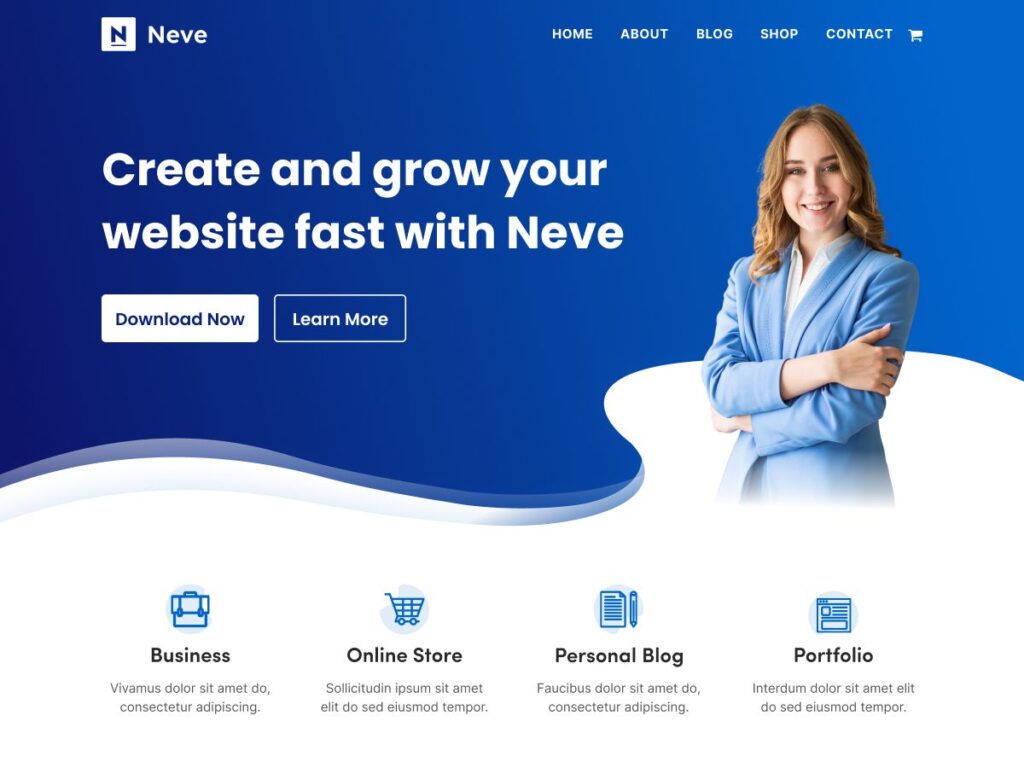
If mobile responsiveness and speed are your top priorities, Neve is a fantastic choice. It’s designed in Romania to work perfectly on smartphones and tablets, without sacrificing desktop performance. Great for blogs, small businesses, and startups.
Many webmasters recommend this one because of its flexibility and a big library of starter sites.
For complex design modifications without code, it’s recommended that you go Pro. Also, for advanced layouts on landing pages, Themeisle has the plugin named Otter Blocks. It’s a premium one. Because of that, if you want a free alternative, then you can go with GenerateBlocks or WP Spectra because both are free.
Key Features:
- Mobile-first design
- Super lightweight (only ~35 KB, ~264 kB uncompressed)
- Supports Elementor and Gutenberg
- Built-in starter sites
Pros:
- Great onboarding and starter templates
- Built for page builders
- Easily customizable per page
- Translation and RTL support
Cons:
- Color options in the free version are somewhat limited
- Some advanced design tools require an upgrade
Best For: Blogs, small businesses, portfolios, and stores
Performance: Loads fast with just 6-7 HTTP requests and a 35 kB page size. Themeisle says that on Pingdom, they had a 100% speed grade, 1-second load time, and a 28 kB file size.
Page Builder Compatibility: Nowadays, many of us use page builders like Gutenberg or Block plugins. This product was developed with support for page builders in mind. It’s mentioned that it is compatible with Elementor, Brizy, Beaver Builder, Visual Composer, and many more. Maybe it would be good to use the Otter Blocks from the same developer for better compatibility.
Final Thoughts: Which Theme Should You Pick?
If you’re still unsure which theme to choose, here’s a quick recap to help:
- Go with Blocksy if you want sleek design and Gutenberg power.
- Pick Kadence for visual customization and flexibility.
- Use GeneratePress if site speed is your top concern.
- Choose Astra if you want loads of templates and wide compatibility.
- Try Neve for a clean, mobile-first experience with great builder support.
Each of these themes can serve as a solid foundation for your website in 2025. They’re all free, reliable, and backed by active development teams.
So go ahead – pick a theme, install it, and start building. The web is waiting to see what you create.
FAQs
Where can I find free WordPress themes?
You can find free WordPress themes on WordPress.org. This is the official repository for free themes and a reliable place to download and install them directly from your CMS dashboard.
What types of websites are free themes suitable for?
Free WordPress themes are versatile and can be used for a wide range of websites. Popular free themes like Astra, Neve, and Blocksy are suitable for blogs, business websites, online stores (often with Woo support), portfolios, NGOs and other creative ventures.
The specific features and demo sites offered by a theme can help determine its best use case.
What are the potential limitations of using a free theme compared to a paid theme?
While free themes offer significant value, they often have limitations compared to their paid or premium counterparts. These can include fewer customization options, a limited number of pre-built available demo sites, less advanced features (such as conditional headers/footers or advanced WooCommerce integrations), and potentially less comprehensive support.
Because of that, some features may require upgrading to a paid version to access.