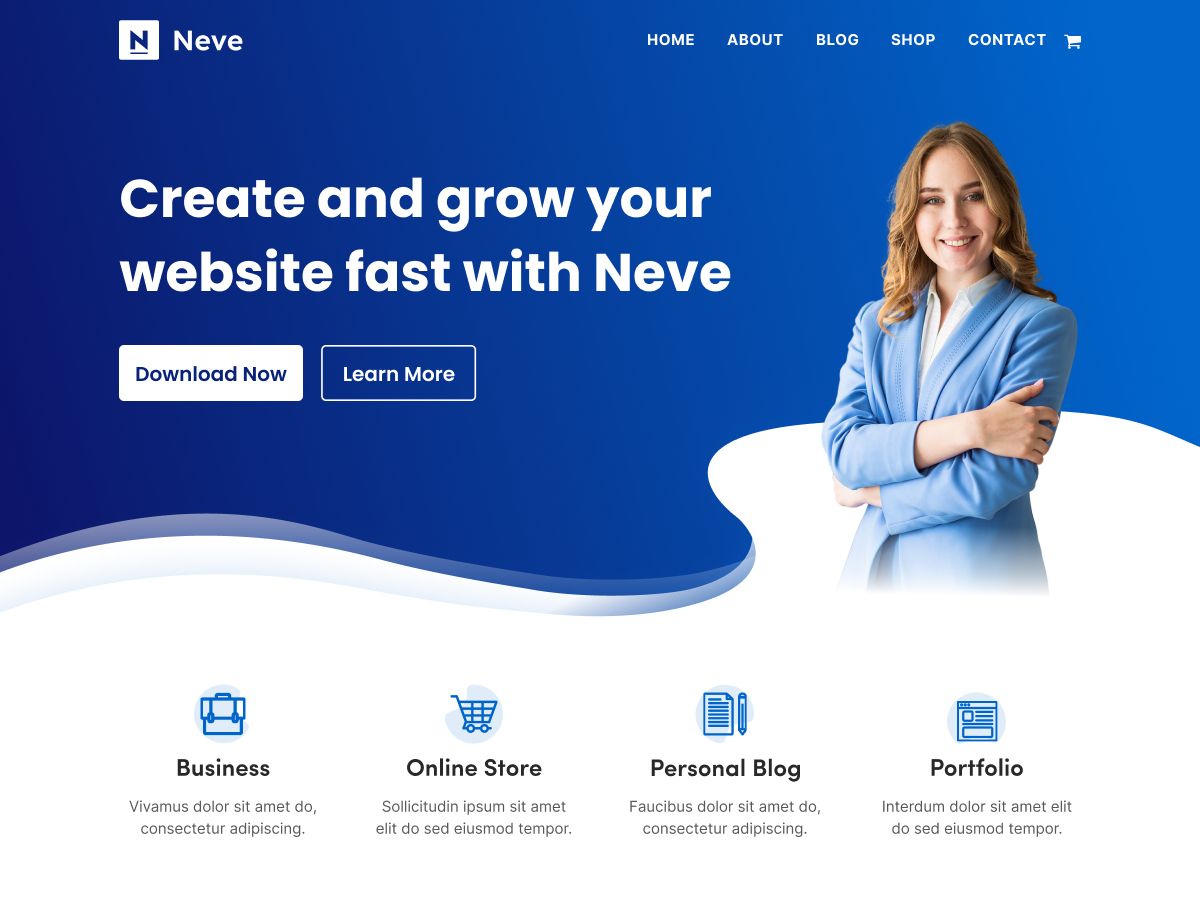
Hello everyone, and welcome to my review of the Neve theme. If you’ve ever felt overwhelmed by the sheer number of WordPress themes out there, constantly searching for the “one” that truly fits your vision, then you’re in the right place. I’ve been exploring the Neve theme, delving into its features, seeing how it performs, and understanding what it offers for various types of websites. Get ready to set sail on this journey with me as we uncover it’s secrets and evaluate its potential for your next WordPress project.
I’ve spent time looking into the free version, as well as the premium (Pro) options – Personal, Business, and Agency – to understand the differences and see whether this is a theme you should consider. Also, it isn’t the only WordPress theme I’d recommend, but based on what I’ve seen, it certainly meets my standards for what a high-quality theme should be.
Avoid nulled or cracked themes and plugins – they often hide malware and can ruin your site and SEO.
Stick to official sources like the WordPress repository or the developer’s site.
Need premium features? Support the creators, or choose from many safe, free alternatives instead.
Key Features
Let’s kick things off by diving into the heart of Neve: its features. This theme is celebrated for being a multi-purpose WordPress theme, known for its lightweight design, incredible speed, and ease of customization. It truly adapts beautifully whether you’re looking to build a small business site, a blog, or an online store.
One of the most talked-about aspects of Neve is its lightning-fast speed and Performance. The claims are impressive, with the theme loading in just 0.6 seconds in GTmetrix tests and having an incredibly lightweight design, weighing in at only 28 KB in a default WordPress install in the Pingdom test. My testing using GTmetrix showed excellent results – a straight A grade with 99% performance and 95% structure. This speed performance is crucial for keeping visitors happy and ranking well with search engines like Google. What’s great is that the premium version’s impact on performance is minimal because it’s essentially a plugin that unlocks features, and it’s modular, allowing you to turn features on or off. Inside the premium performance features in the WordPress dashboard, you can access options like removing unnecessary scripts and hosting fonts locally to keep things running efficiently.
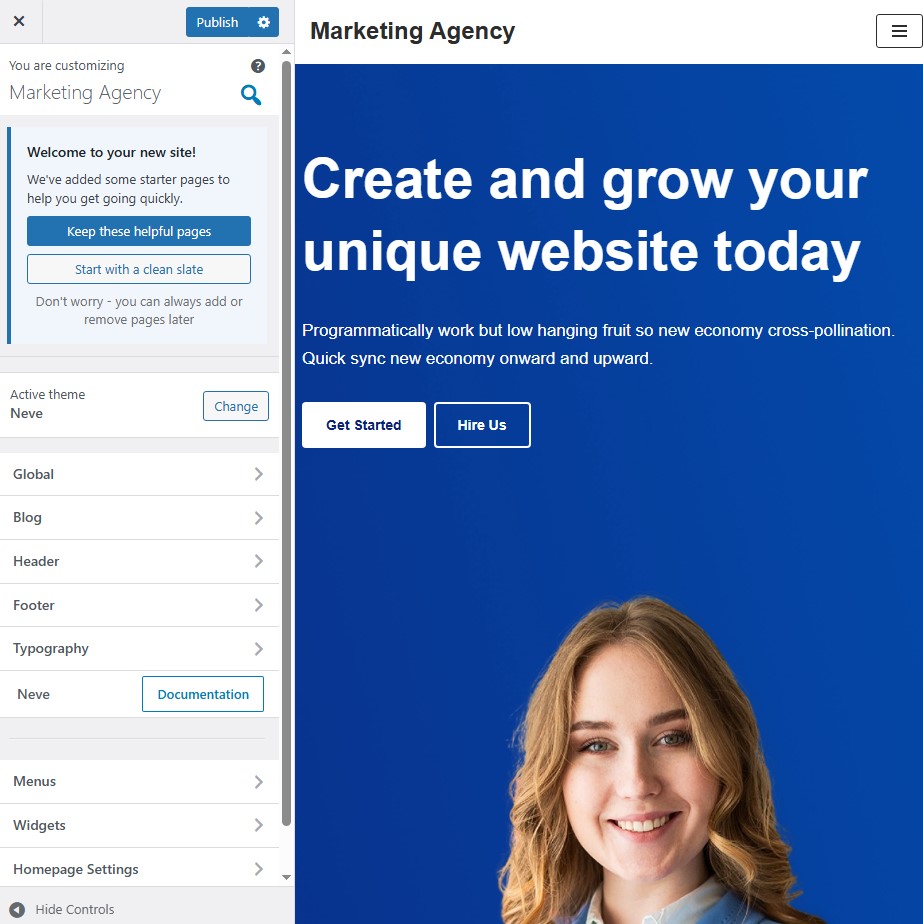
Customization is another area where Neve truly shines. It offers multiple customization options without the need for coding. The live WordPress customizer is where much of the magic happens, allowing you to tweak layouts, colors, and fonts in real-time. It is fully compatible with top page builders like Elementor, Gutenberg, and Divi, giving you even more flexibility to design pages exactly as you want. Whether you’re a beginner or a seasoned pro, Neve aims to make customization a breeze.
Let’s talk about the builders and specific layout options. There’s a professional Header and Footer Builder that lets you compose your headers and footers from different parts using a drag-and-drop interface. You can use over 20 custom elements and design them with customizable rows (top, main, bottom, and sidebar for headers). You can add elements like social icons, sticky menus, search bars, and even create mega menus. Crucially, you can also create mobile-specific headers, ensuring your site looks stunning on all devices, which is essential in today’s mobile-first world.
The template also boasts a custom layouts feature. This module, available in the premium version, lets you design hooks, templates, and components. It allows for the creation of unique headers, footers, sidebars, and other website sections. You can even use the Otter blocks plugin (which I’ll discuss more later) to get access to advanced blocks for these custom layout sections. Once created, you publish these custom layouts like any other post or page.
In the Customizer, you have detailed control over layouts. You can adjust the container width and layout, customize sidebars (full width, left, or right), and configure options for blog pages and posts. For blogs specifically, Neve offers sleek layouts that are clean and minimal. Even in the free version, you get awesome layouts out of the box, including three different layouts for your archive pages (List, Grid, and Covers) and two layouts for single posts (Normal and Cover). The Cover layout, in particular, looks very modern. The premium version adds even more layout customization options and allows you to toggle features on or off, such as featured post options, disabling titles, thumbnails, or post meta. For single posts, the premium version extends the options available in the Normal and Cover layouts, allowing you to turn on or off page elements like content, tags, comments, and post navigation.
Color and typography settings are also well-covered. You can easily create color palettes to quickly change your website’s overall style. Defining a color palette is a very quick way to customize your colors. Similarly, they offer comprehensive typography options so you can quickly change your font settings site-wide. Button customization in the free version seems basic, mainly covering standard CSS features like borders and padding, without extensive styling options directly in the customizer.
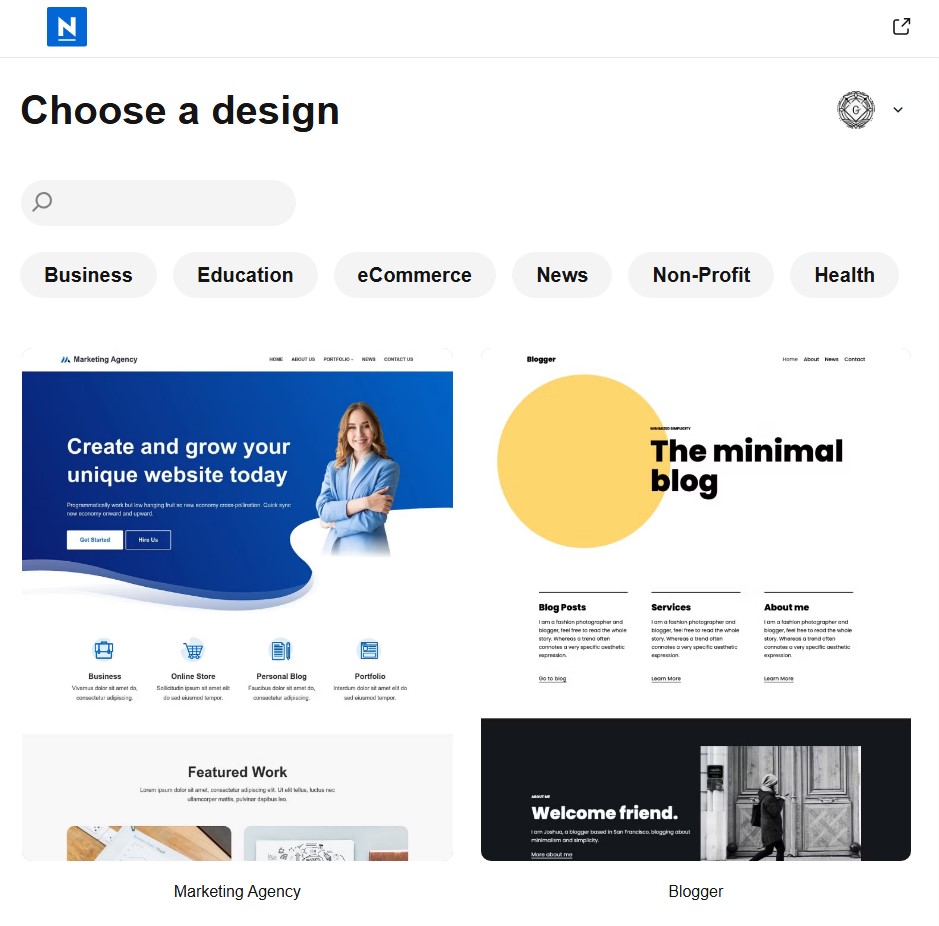
A significant feature, particularly for building new sites or speeding up development, is the availability of Starter Sites. Neve comes with more than 45 starter sites across all categories (though others mention 100+ ready-to-import starter sites). These are professionally designed templates that you can import with just a few clicks. They are available for use with either Gutenberg or Elementor page builders, depending on your preference. When you import a starter site, it brings in a completely made website, including pages, menus, and any needed plugins, allowing you to use it as a demo. While the free version offers some starter sites, many are locked, and you get many more demo websites in the premium versions. Six designs are specifically noted as being installable with one click for shops.
For those building online stores, Neve includes enhanced WooCommerce integration. The WooCommerce booster module (available in Business and Agency plans) adds features like sticky carts, wish lists, quick view, and flexible product display options to enhance the shopping experience. Once enabled, a new section appears in the WordPress customizer with several settings for your online store. You can customize the product catalog display (e.g., changing the number of products per row, aspect ratio for images), add-to-cart notices, and rename fields. However, while these options are good, they are often available via free plugins in the WordPress Repository, and they were expecting more, particularly more custom layouts for WooCommerce. Currently, it seems Neve primarily uses the default way WooCommerce works in any theme and doesn’t offer dedicated layouts, which might be a drawback for highly customized shops.
Beyond the main features, it offers several others. There’s a content restriction module to create member-only content. Neve Cloud (Agency plan) allows you to save and reuse website templates across multiple projects. The Elementor booster enhances Elementor with many more widgets, potentially reducing the need for the Elementor Pro version. There’s also a Scroll to Top feature module. For developers or advanced users, Neve includes a hook system, making it easy to add custom code, HTML, or shortcuts in different parts of your theme, leveraging the standard WordPress hook functionality.
Finally, specific to the Agency version, there is White Labeling. This powerful feature lets you remove any fingerprint of Neve or Themeisle (the company behind the product). You can completely rebrand the theme, changing the agency author name, theme name, plugin name, hiding options from the dashboard, and enabling license hiding. You can even change the screenshot or thumbnail of the theme. This is incredibly useful for agencies building sites for clients, allowing them to present a completely custom-branded experience. The Agency version also includes Otter Pro, another plugin from Themeisle, which provides a bundle of Gutenberg blocks and various lightweight blocks that you can use on your website, complementing the customization capabilities within the Gutenberg editor.
So, in summary, the product packs a lot of punch, especially in its premium versions, covering speed, extensive customization options, builders, integrations, and features tailored for different use cases like blogs, general websites, and even agencies.
User Experience
My experience with Neve seems geared towards being straightforward and user-friendly, even for beginners, while offering depth for more advanced users.
Getting started is surprisingly simple. Installing the free version is just like installing any other theme from the WordPress repository – you head to your WordPress dashboard, go to Appearance -> Themes, click Add New, search for “Neve,” click install, and then activate. It’s a very popular theme, so you can always see it on the first page of results.
The premium version works a bit differently. Once you purchase a plan on the Themeisle website, you download the Neve Pro Addon plugin. The premium add-on extends the features of the free theme, so the free theme must be installed and active first. You then upload and activate the Neve Pro plugin via the Plugins -> Add New -> Upload Plugin section in your dashboard. License activation might happen automatically, or you may need to manually paste the license key in the Neve Options -> Neve Pro section.
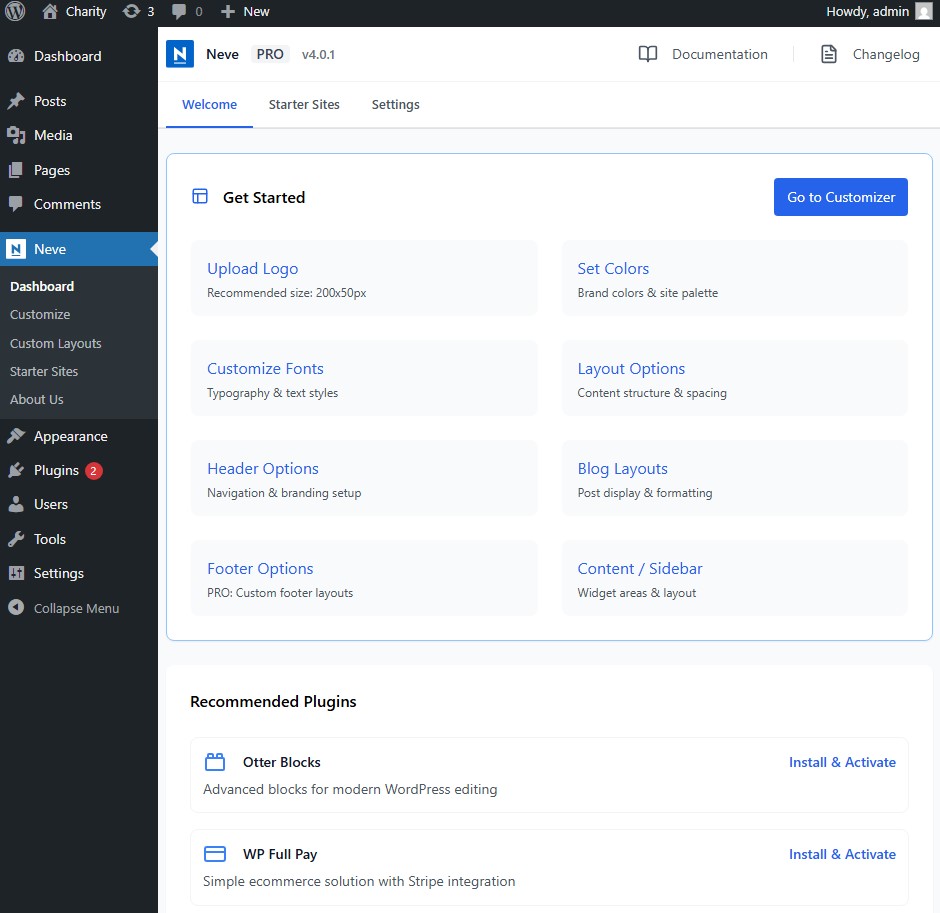
Once installed and activated, the Neve Options dashboard is your central hub. Here, particularly in the Pro version, you find a section to manage Neve Pro modules. This is where you can toggle on or off different features, like the Header Booster, WooCommerce Booster, Blog Booster, Post Type Enhancement, Scroll to Top, or White Labeling. This modular approach is great for performance, as you only activate the features you need. The actual features controlled by these modules become available within the customizer or other parts of the WordPress dashboard.
The Customizer is truly the heart of the theme’s customization, as I mentioned earlier. This live customizer allows you to make changes and see the results instantly. In the free version, most customization options are found here. When you activate the Pro version, you don’t necessarily get completely new layouts in sections like blogs or single posts, but rather more features and options added within those familiar sections of the Customizer. For example, in the blog section, you might find added options for card style or ad separators. In single posts, you get more granular control over turning specific page elements on or off.
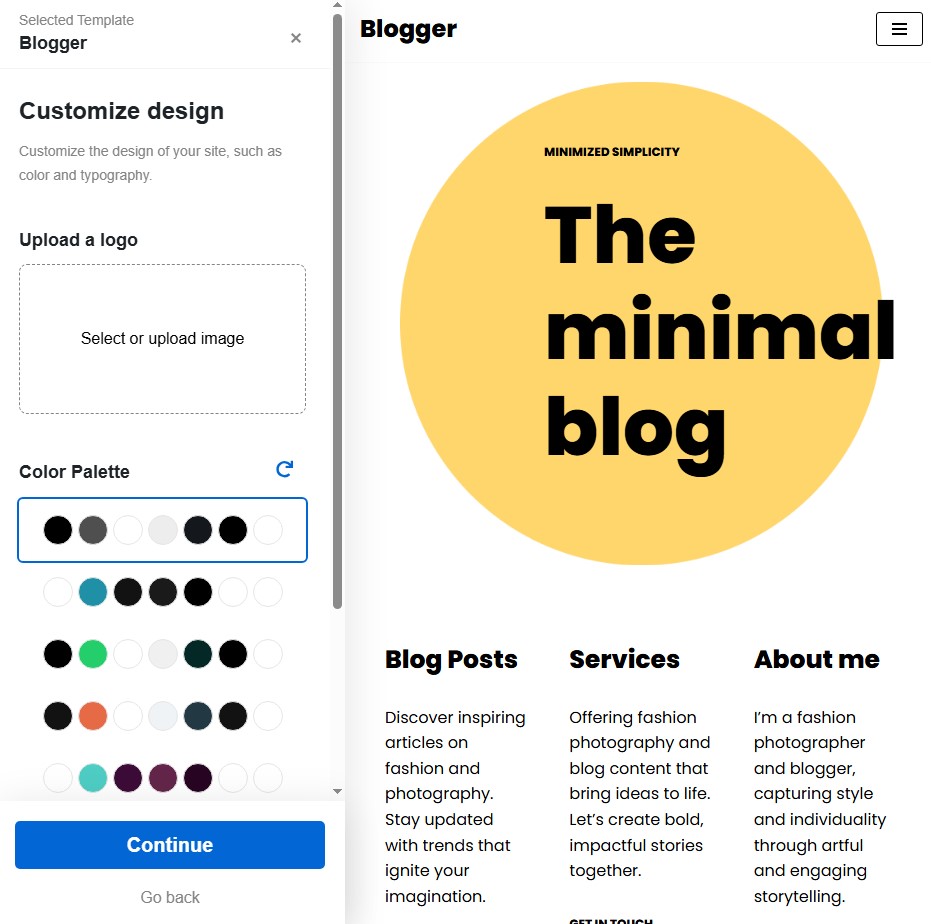
A key part of the template experience, especially for quickly launching a site, is using Starter Sites. After installing Neve (and the required Cloud Templates and Patterns Collection plugin), you can access the starter sites library from Neve Options. Browsing the templates is easy, and importing one is a few clicks. You select a category, choose a design, adjust basic settings like color palette and typography if desired, add your business name and logo, and click import. The process takes just a few minutes to import the entire site, including pages, menus, and plugins.
Once a starter site is imported, you’ll want to replace the demo content with your own. Neve is compatible with page builders, like the WordPress block editor (Gutenberg). You can easily click ‘Edit Page’ from the frontend of the imported site. In the block editor, you can remove unwanted sections, insert your text content (headings, paragraphs), replace demo images in image blocks, and add new sections using standard WordPress blocks or the advanced blocks provided by Otter Blocks. Customizing each block is straightforward, with settings and style options available in the Block tab of the editor sidebar. This flexibility makes replacing placeholder content and personalizing the design quite intuitive.
The white labeling feature in the Agency version also impacts the user experience, particularly if you’re building sites for clients. Once enabled and configured, the Neve branding is replaced by your own. You can even hide Neve/Themeisle options from the dashboard and enable license hiding, presenting a completely clean interface to your clients. Accessing these hidden options again requires deactivating and reactivating the plugin.
Overall, the user experience seems designed to be intuitive, utilizing familiar WordPress interfaces like the Customizer and block editor while adding powerful extra layers of control, especially in the premium versions and when using starter sites.
Support and Documentation
When choosing a theme, support is a crucial factor, and Neve offers different levels depending on the plan you choose. With the free version, support is typically limited to the community forums on WordPress.org, which is standard for free themes.
For paid plans, you get access to more direct and priority support. The Business plan includes Priority Support. This means your support queries get preferential treatment, likely leading to faster response times compared to free users. Stepping up to the Agency plan provides VIP Support. This suggests an even higher level of support, potentially with faster response times and more in-depth assistance, suitable for agencies managing multiple client sites.
Beyond direct support, Neve is also presented as being very well documented. Themeisle, the company behind Neve, maintains a documentation page on its website. This documentation is a valuable resource where you can find help with any Themeisle product, including Neve features. You can search for specific topics, like using the header builder, and find detailed information. In the Neve Pro dashboard, where you manage modules, each feature even has a direct link to its corresponding documentation page, making it easy to get help right where you need it. The documentation is comprehensive and helpful.
Having tiered support based on the plan and robust documentation indicates that Themeisle invests in helping users understand and utilize the theme effectively.
Pricing
Pricing is often a deciding factor, and Neve offers a few options, starting with a free version that is suitable for small-scale websites. This free version provides the core foundation of the theme and unlocks some core customization features in the Customizer, but many advanced features and a large portion of the starter site library are locked.
For those needing more power, Neve offers premium plans: Personal, Business, and Agency. The plans start at just $69 per year. However, it’s important to understand the differences between these plans as they dictate which features you access.
- Personal Plan: This is the starting premium plan. It gives you access to all core features and unlocks core customization features like layouts in the theme customizer. However, it notably does not include integration features for third-party plugins like popular LMS plugins or WooCommerce. It also doesn’t include priority support or more starter sites compared to the free version.
- Business Plan: This plan includes everything in the Personal plan, plus integration features for plugins like LMS and WooCommerce. You also get Priority Support and access to more starter sites and templates than in the Personal or free versions.
- Agency Plan: This is the most complete plan. It includes everything in the Business plan, plus features specifically suited for larger agencies. These include Neve Cloud, White Labeling, and VIP Support. It also gives you access to Otter Pro, the bundle of Gutenberg blocks.
The cheapest premium version (Personal) does not give you WooCommerce features, meaning you would need to step up to at least the Business plan for that. You will have to spend $149 a year for the plan that includes WooCommerce features. This may lead to a differing opinion on pricing because Neve is “way too expensive” and that there are “way better themes for less money,” even mentioning a comparison to the Divi theme, which offers a lifetime license for a similar price point to it’s annual Business/Agency plans.
But, I must highlight the value, stating that for professionals or agencies, the premium plans add significant power and flexibility, especially with features like white labeling. It must be pointed out that the Black Friday season offers a significant discount, up to 70% off on their plans, with the discount applied automatically without needing a coupon. This limited-time offer makes the premium plans much more attractive from a cost perspective.
So, while in my view the annual pricing, particularly for the Business plan needed for WooCommerce, is too high compared to some alternatives, I find the premium plans valuable for their features, especially considering potential discounts. The choice of plan depends heavily on the features you need, particularly third-party integrations, advanced agency features, and the level of support desired.
Please check the author’s site for updated prices.
Use Cases
Given its feature set, Neve positions itself as a versatile theme suitable for a range of projects. As a multi-purpose theme, it’s designed to adapt whether you’re building a small business website, a blog, or an online store.
For bloggers, Neve is highlighted as a good theme. Its out-of-the-box layouts for blog archives (List, Grid, Covers) and single posts (Normal, Cover) are as awesome, sleek, clean, and minimal. The options available, even in the free version, are considered cool. If you want a fast blog and prefer not to use a page builder to create your archive pages (as it can affect performance), the product is presented as a great choice with its built-in blog features.
For general websites, including small business sites, Neve’s speed, lightweight nature, and ease of customization make it a strong contender. The availability of a wide range of starter sites for various categories (like business, portfolio, etc.) allows you to quickly import a professional design and customize it.
When it comes to online stores (WooCommerce), Neve is excellent for building web shops, offering features like quick view, floating cart, cart notices, catalog layouts, and off-canvas shop filters. However, as noted before, the limitations on custom WooCommerce layouts mean that while it works well with the default WooCommerce design and adds some booster features, it might not be the best choice if you require a highly customized shop layout that deviates significantly from the standard WooCommerce structure. I advise caution if you need deep WooCommerce customization beyond what’s offered out-of-the-box or via free plugins, although they note that if you’re happy with the minimal design and default WooCommerce functionality combined with it’s speed, it’s fine.
Finally, the Agency version is specifically tailored for big agencies that create multiple websites for clients. Features like white labeling, Neve Cloud for reusing templates, and VIP support directly address the needs of this use case.
In essence, Neve is recommended as a good theme for a fast blog and a fast general website, suitable for small businesses, and capable of handling basic to moderately customized online stores, with specific features making the Agency version ideal for professional web development firms.
Alternatives
While many sing praises for Neve, some bring up the point that it’s not the only theme available and mention that there are “way better themes for less money.” This comparison specifically comes up in the context of Neve’s annual pricing for the plan that includes WooCommerce features ($149/year), contrasted with themes like the Blocksy and KadenceWP themes, which is noted as offering a lifetime license for potentially a similar price point.
I must mention that it has existed for a very long time at the top of most popular themes on WordPress.org, implying there are other “top themes” out there.
Therefore, based on the information I have, while Neve is a highly-rated and popular theme, the only specific alternatives mentioned for comparison, particularly regarding pricing structure, are the Blocksy and KadenceWP themes.
Overall Impression
Drawing all this information together, my overall impression of the Neve theme is largely positive, aligning with the general sentiment. It is an excellent theme and a good WordPress theme that meets the standards for high quality.
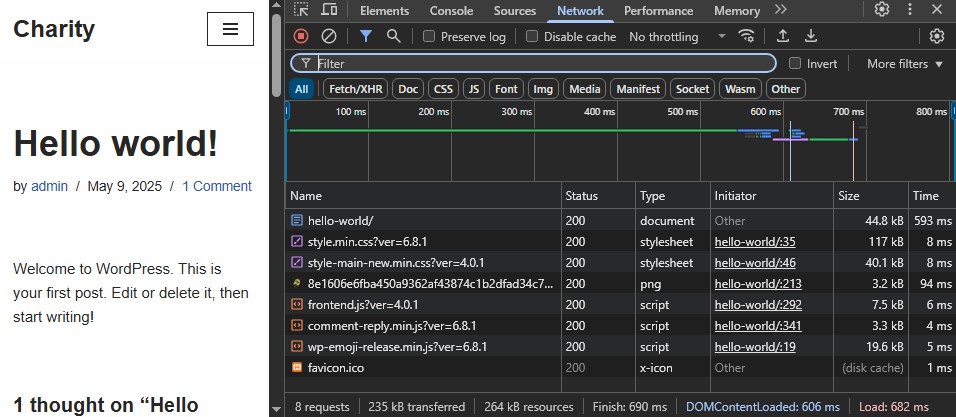
Its primary strengths are its lightning-fast speed performance, lightweight nature, and ability to produce websites with a very clean and modern layout. I particularly love the blog layouts, which are considered awesome out-of-the-box, even in the free version, offering flexibility without needing page builders. The speed is consistently highlighted as a major advantage.
The theme is also praised for its ease of customization, offering extensive options through the live Customizer and compatibility with major page builders. The availability of a large library of ready-to-import starter sites is a significant time-saver and a great feature for getting a professional-looking site up quickly. The modular nature of the premium features, controlled via the Pro dashboard, is also a plus for performance optimization.
For specific use cases, it’s seen as very useful for building blogs and good for general websites and small businesses. The Agency version, with features like white labeling and Neve Cloud, is a strong offering for professional agencies.
However, there are some points to be mindful of. The WooCommerce options, while present and functional, are not as extensive as they hoped, particularly lacking dedicated custom layouts for products and shops. Many of the available WooCommerce customization options are achievable with free plugins anyway. This means that if your main goal is a highly unique or complex WooCommerce design that goes beyond the standard layout with added booster features, Neve might not be the best fit out of the box, and you might need additional plugins or custom coding.
The pricing structure also receives differing opinions. I must highlight the annual cost for features like WooCommerce support as being too expensive compared to alternatives offering lifetime licenses, other points to the value provided in the premium plans, especially for professionals and agencies, and note that significant discounts are available during promotional periods like Black Friday. The free option is considered feature-packed and user-friendly for small businesses and beginners.
Despite the nuances regarding WooCommerce layouts and the varying perspectives on pricing, Neve’s strong foundation in speed, performance, and customization, coupled with its high ratings and popularity (over 300,000 active installations and high user ratings on WordPress.org), positions it as a comprehensive and versatile theme worth considering.
So, is Neve worth your time and money? Based on my review, yes, for many users. If you’re looking for a fast, customizable, and feature-rich theme that works well for blogs, general sites, and standard online stores, Neve is a contender. The free version is a solid starting point, and the premium plans add significant power, especially if you need integrations, advanced builders, or agency-specific tools. Just be aware of the potential limitations for deeply customized Woo layouts and consider the annual pricing relative to your budget and alternative options, perhaps keeping an eye out for promotional offers.